
Your team's bottleneck probably moved. When AI writes a larger share of the code, the constraint stops being how fast people type and becomes how fast someone can decide whether a change is safe to merge. LinearB's 2026 benchmarks put a number on it. Agentic AI pull requests have a pickup time, meaning the wait before any human opens them, 5.3 times longer than unassisted ones. That figure comes from more than 8.1 million pull requests across 4,800 engineering teams in 42 countries (LinearB, 2026 Software Engineering Benchmarks Report, retrieved 24 August 2026).
GitHub Copilot code review is one lever on that queue, and it changed substantially in 2026. This guide covers what to turn on, where each setting lives, how to tune the output so it is worth reading, and what it now costs.
Key Takeaways
- Copilot code review went generally available on an agentic architecture on 5 March 2026 and runs on GitHub Actions, so runner configuration is now part of the setup.
- The per-developer toggle does not scale. Branch rulesets are what make review fire on every pull request across a repo or an org.
- Custom instructions are the difference between signal and noise. The 4,000-character cap was removed in June 2026, and
AGENTS.mdis now honoured.- Copilot leaves comment-only reviews. They never count toward required approvals and cannot block a merge.
- Since 1 June 2026, reviews consume AI Credits plus Actions minutes on private repositories. Public repositories stay free.
In this article:
- What is GitHub Copilot code review, and what changed in 2026?
- How do you enable Copilot code review on a repository?
- How do you make the review run automatically on every pull request?
- How do you tune what Copilot reviews with custom instructions?
- What does Copilot code review catch, and what does it miss?
- What does Copilot code review cost after the June 2026 billing change?
- What does a low-risk rollout look like?
- Frequently Asked Questions
- Where this leaves your review process
What is GitHub Copilot code review, and what changed in 2026?
Copilot code review is a reviewer you add to a pull request that reads the diff, explores the surrounding repository, and leaves inline comments with suggested fixes. On 5 March 2026 it went generally available on an agentic architecture for Copilot Pro, Pro+, Business, and Enterprise, replacing the earlier single-pass model (GitHub Changelog, 5 March 2026).
The practical difference is context. The agent uses tool calls to pull in related files, directory structure, and references rather than reasoning from the diff alone, which is what lets it comment on how a change fits the wider architecture instead of flagging style in isolation.
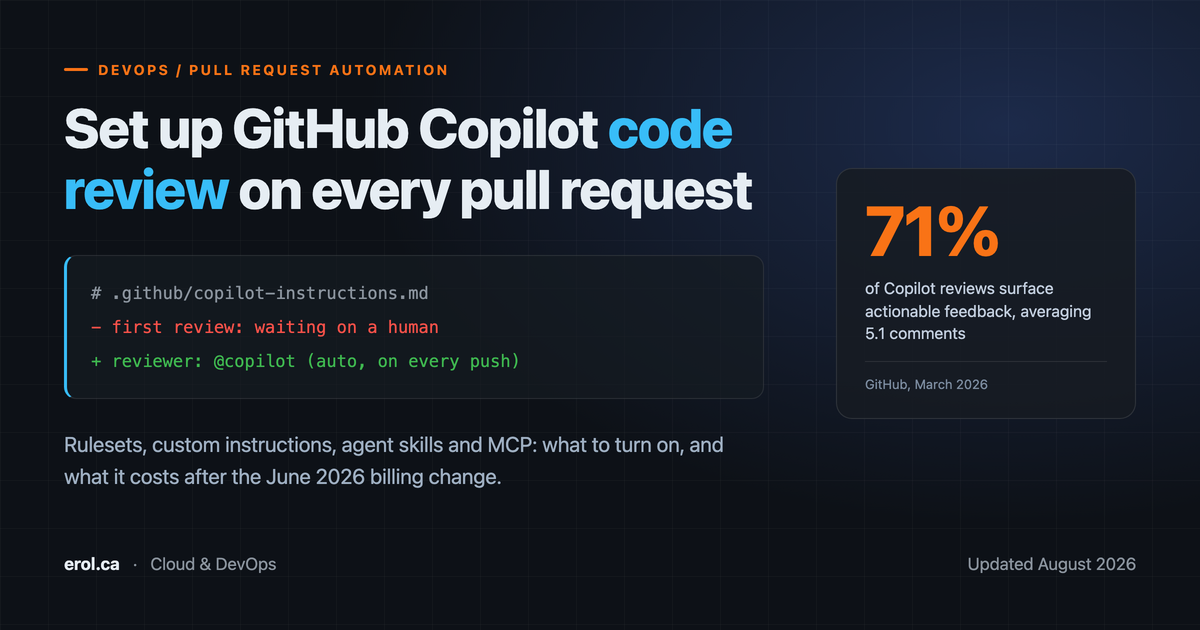
Scale gives a sense of the current baseline. GitHub reported 60 million Copilot code reviews since the April 2025 launch, 10x growth, more than one in five code reviews on the platform, and over 12,000 organisations running it automatically on every pull request. In 71% of those reviews the agent surfaced actionable feedback, averaging 5.1 comments on the reviews where it commented at all; in the remaining 29% it left no comments (GitHub, 5 March 2026).
One design decision matters more than any statistic here: Copilot submits its findings as a "Comment" review. It never approves, its review does not count toward required approvals, and it cannot block a merge (GitHub Docs, retrieved 24 August 2026). Treat it as a first pass that arrives while your teammates are still asleep, not as a quality gate.
How do you enable Copilot code review on a repository?
Request it manually first, on one pull request, before you automate anything. On GitHub.com, open the pull request, find Reviewers in the right sidebar, and click Request next to Copilot. The review typically completes in under 30 seconds and appears as a normal review with inline comments (GitHub Docs, retrieved 24 August 2026).
From the command line, the same thing, using the reviewer handle documented by GitHub (GitHub Docs, retrieved 24 August 2026):
# Request Copilot review when opening the PR
gh pr create --reviewer @copilot

# Or add it to a PR that already exists
gh pr edit 1423 --add-reviewer @copilot
VS Code, Visual Studio, JetBrains IDEs, and Xcode each expose a local review command that works on uncommitted changes or a selection (GitHub Docs, retrieved 24 August 2026), which is useful for catching the obvious problems before you open the pull request at all.
Two prerequisites catch teams out. First, access: the feature requires a Copilot plan, and organisation members without their own licence can still use it when an enterprise admin or organisation owner enables it (GitHub Docs, retrieved 24 August 2026). Second, runners: because the agentic version executes on GitHub Actions, teams that have opted out of GitHub-hosted runners need a one-time self-hosted runner setup before reviews will run at all (GitHub Changelog, 5 March 2026). If you work in a locked-down enterprise environment, sort that out before you promise anyone a rollout date.

How do you make the review run automatically on every pull request?
Every UI path in this section was checked against GitHub's documentation on 24 August 2026 rather than captured from a live session, so confirm the labels against your own account if GitHub has since moved them.
Use a branch ruleset, not the personal setting. There is a per-user toggle under your profile picture at Copilot settings and then Automatic Copilot code review set to Enabled, but it only governs pull requests you open. It does nothing for the contractor who joined last week.
The repository-level path is where team behaviour is defined:
- Repository, then Settings, then Rules, then Rulesets (under "Code and automation")
- New ruleset, then New branch ruleset
- Under Target branches, click Add target and choose Include default branch or Include all branches
- Under Branch rules, select Automatically request Copilot code review
- Expand it and consider Review new pushes and Review draft pull requests
Those paths and options are documented by GitHub (GitHub Docs, retrieved 24 August 2026).
Those two sub-options decide how the feature actually feels day to day. Review new pushes re-runs the review after each push, so a fix you make at 4pm gets checked rather than leaving stale comments attached to code that no longer exists. Review draft pull requests moves the feedback earlier, catching errors before a human is ever pinged. Both increase consumption, which matters after the billing change below.
To cover many repositories at once, create the ruleset at the organisation level: organisation Settings, then Repository, then Rulesets (under "Code, planning, and automation"), then target repositories with Include by pattern or Exclude by pattern using fnmatch syntax. Use *-service to catch every microservice repo, for example (GitHub Docs, retrieved 24 August 2026).
One more dial sits outside rulesets. Under organisation or repository Copilot settings and then Code review, the review effort level is either Lite (standard review) or Balanced (deeper analysis of complex logic, security-relevant code, and cross-service changes, at higher AI credits and Actions minutes consumption). Repository settings override the organisation default (GitHub Docs, retrieved 24 August 2026), so a sensible pattern is Lite as the org baseline with Balanced switched on for the handful of repositories where a missed bug is expensive.
That queue is the reason automation beats on-demand requests. A review only compresses cycle time if it is already waiting when the human arrives.
The review did not fire: what to check
Work down this list before opening a support ticket:
- Runners. If your organisation opted out of GitHub-hosted runners, reviews will not run until the one-time self-hosted runner setup is complete.
- Ruleset targeting. Confirm the ruleset is active, not in evaluate mode, and that its target branch pattern actually matches the pull request's base branch.
- Org versus repo precedence. A locked organisation runner setting overrides repository configuration, and repository effort-level settings override the organisation default.
- Content exclusion. If every changed path in the pull request is excluded, there is nothing left for Copilot to review.
- Draft status. Without Review draft pull requests enabled, drafts are skipped by design.
How do you tune what Copilot reviews with custom instructions?
Custom instructions are the highest-leverage configuration in the whole feature, and they are enabled by default for code review (GitHub Docs, retrieved 24 August 2026). Without them, Copilot reviews your code against general good practice. With them, it reviews against your conventions.
Start with a repository-wide file at .github/copilot-instructions.md, written in plain Markdown:
# Review guidance for this repository

- This is a Terraform monorepo. Flag any resource created without tags
  for `owner`, `cost-center`, and `environment`.
- We target AWS Lambda with Node 22. Reject `require()` in new files.
- Never suggest widening an IAM policy to fix a permissions error.
- Retries must be idempotent. Flag any retry wrapper around a
  non-idempotent write.
- Do not comment on formatting. Prettier and tflint own that.
That last line matters as much as the rest. A reviewer that comments on things your team has already automated produces noise rather than signal, so telling it what to ignore is as valuable as telling it what to check. The Lambda-specific rules above are the kind of convention worth encoding: the failure modes are covered in more depth in overcoming the pitfalls and failures of AWS Lambda.
For rules that only apply to part of the tree, add path-specific files under .github/instructions/ ending in .instructions.md, each with an applyTo glob in its frontmatter. The excludeAgent key lets you scope a file away from code-review or cloud-agent when the same guidance should not apply to both:
---
applyTo: "**/*.tf,**/*.tfvars"
---

- Modules must pin provider versions with `~>`, never `>=`.
- Any `aws_s3_bucket` needs an explicit `aws_s3_bucket_public_access_block`.
When a path-specific file matches and a repository-wide file also exists, both sets of instructions apply (GitHub Docs, retrieved 24 August 2026).
Three 2026 changes are worth knowing. GitHub removed the 4,000-character limit on instruction files in June, so detailed guidance no longer has to be rationed (GitHub Changelog, 12 June 2026). The same release added path-based content exclusion at repository, organisation, and enterprise level, which is how you keep generated code, vendored dependencies, or sensitive directories out of review entirely. Copilot code review also reads AGENTS.md files as of 18 June 2026, so a repository that already describes itself for other coding agents does not need a parallel Copilot-specific file (GitHub Changelog, 18 June 2026).
Beyond instructions, two capabilities went generally available on 29 July 2026. Agent skills live in .github/skills/<skill-name>/SKILL.md and let a review invoke your team's internal tools and coding standards. MCP server support lets the reviewer pull context from issue trackers, documentation systems, or a service catalogue. Configure it under repository settings, then Copilot, then MCP servers, with credentials stored in Secrets and variables, then Agents. All MCP tool calls are restricted to read-only (GitHub Changelog, 29 July 2026). The GitHub and Playwright MCP servers are active by default.

What does Copilot code review catch, and what does it miss?
GitHub is direct about the limits, and you should quote them to your team before rollout rather than after the first bad comment. Copilot "may not identify all of the problems that are present in code, especially where changes are large or complex", carries "a risk of hallucination", may generate suggestions that "appear to be valid but may not actually be semantically or syntactically correct", and inherits biases from training data (GitHub Docs, retrieved 24 August 2026). GitHub's own guidance is that the feature "should be supplemented with careful human code review".
Developer sentiment reflects that. In the 2025 Stack Overflow Developer Survey, more respondents actively distrusted the accuracy of AI tools (45.7%) than trusted it (32.7%), with only 3.1% highly trusting the output, even though 84% were using or planning to use AI tools (Stack Overflow, 2025). The single biggest frustration, cited by 66%, was AI solutions that are "almost right, but not quite", precisely the failure mode a reviewer produces when it is confidently wrong about a subtle bug.
The wider research points the same way. Google's DORA programme found AI adoption near-universal at around 90% of developers while roughly 30% report little or no trust in AI-generated code, and describes AI as an amplifier of an organisation's existing strengths and weaknesses rather than a fix for them (DORA, 2025). A team with weak tests and vague ownership should expect faster noise, not fewer defects.
So keep the gates that actually gate. Required status checks, a security scanner such as CodeQL or a managed service like AWS Security Hub for the infrastructure side, and at least one human approval stay as the merge conditions. Copilot's comments arrive before all of that and reduce how much a human has to find from scratch.
What does Copilot code review cost after the June 2026 billing change?
Billing changed on 1 June 2026, and if you budgeted before that date your numbers are stale. Copilot usage is now billed as AI Credits under a usage-based model, where 1 AI credit equals $0.01 USD, and reviews additionally consume GitHub Actions minutes from your plan entitlement on private repositories. Public repositories are unaffected, since Actions minutes remain free there (GitHub Changelog, 27 April 2026).
Each licensed seat carries an included monthly credit allowance that pools at the billing entity level for organisations and enterprises. Copilot Business is $19 per user per month with 1,900 included AI credits, and Copilot Enterprise is $39 per user per month with 3,900 credits on GitHub Enterprise Cloud. Credits do not roll over: unused balance is forfeited and the allowance resets at 00:00:00 UTC on the first of each month (GitHub Docs, retrieved 24 August 2026). Code completions and next edit suggestions remain included and consume no credits.
GitHub does not publish a fixed credit cost per review, and that is the honest answer to the heading: you cannot compute a per-pull-request figure from the documentation alone. Consumption varies with the effort level, the size and complexity of the change, and how much repository context the agent pulls in, while the Actions half of the bill depends on runner type and review duration. Measure it rather than model it, by enabling review on a small set of repositories and reading actual AI credit and Actions minute consumption from your organisation's billing page after one full cycle.
Three settings drive the bill more than anything else:
| Setting | Cost effect | Sensible default |
|---|---|---|
| Effort level (Lite vs Balanced) | Balanced consumes more credits and more Actions minutes | Lite org-wide, Balanced on high-risk repos |
| Review new pushes | Multiplies reviews per pull request | On for the default branch, off for noisy feature branches |
| Review draft pull requests | Adds reviews before a PR is ready | On only where early feedback demonstrably helps |
Runner choice also matters now that reviews execute on Actions. Organisation settings, then Copilot, then Runner type, lets you set a default runner across all repositories and lock it so individual repositories cannot override it (GitHub Changelog, 12 June 2026). Larger runners finish faster and cost more per minute, so pin this deliberately rather than leaving it to whoever configures the next repository.
The discipline here is the same one that keeps cloud bills predictable, covered in AWS cloud financial management for FinOps: instrument first, then expand.
What does a low-risk rollout look like?
Run it as a staged change rather than an org-wide switch:
- Pick one repository with steady pull request traffic and a team that will give you honest feedback.
- Request a review manually on three or four open pull requests, as above. Read every comment and count how many you would have wanted from a colleague.
- Write your instructions file from what you just read: mostly a list of things to stop commenting on, plus your two or three real conventions.
- Add the branch ruleset, default branch only, with Review new pushes off for the first week.
- Confirm runners, especially on self-hosted infrastructure.
- Check consumption after a week against the included allowance.
- Expand by pattern with an organisation-level ruleset once the instruction file has stopped changing every few days.
Steps 2 and 3 carry the value. The toggle takes a minute; deciding what you want the reviewer to say is the actual work, and it is what determines whether the comments get read or muted.
If you want to compare notes on review and merge policy, my background and contact details are on the about page.
Frequently Asked Questions
Does Copilot code review count as a required approval?
No. Copilot submits reviews with the "Comment" type only. It does not approve pull requests, its review does not satisfy required approval rules, and it cannot block a merge (GitHub Docs, retrieved 24 August 2026). Human approval requirements and required status checks stay exactly as you configured them.
Can I stop Copilot from reviewing certain files?
Yes, in two ways. Content exclusion, added in June 2026, applies path-based rules at repository, organisation, or enterprise level to keep files or directories out of review entirely (GitHub Changelog, 12 June 2026). Alternatively, a path-specific instruction file under .github/instructions/ can carry excludeAgent: "code-review" in its frontmatter so that guidance applies to other agents but not the reviewer.
Will it respond if I reply to one of its comments?
No. Copilot does not respond to human replies on its own review comments (GitHub Docs, retrieved 24 August 2026). If a comment is wrong, resolve it and move on. If it is wrong often in the same way, that is a signal to add a line to your instructions file rather than to argue in the thread.
Do public repositories cost anything to review?
Actions minutes remain free on public repositories, so the Actions half of the cost does not apply there. AI Credits still apply to Copilot usage under the usage-based billing model introduced on 1 June 2026 (GitHub Changelog, 27 April 2026).
How is this different from a linter or SAST tool?
Different failure modes. Linters and SAST tools are deterministic: they find the class of problem they were written to find, every time, with no hallucination risk. Copilot reasons about intent across files and can flag a wrong assumption a rule set would never catch, but it may also miss real problems or invent ones. Run both. Neither replaces the other.
Where this leaves your review process
The setup itself takes an afternoon: request one review manually, write an instructions file, add a branch ruleset, confirm your runners. What takes longer is deciding what you want the reviewer to say, and that decision separates teams who keep it switched on from teams who quietly turn it off.
The framing that matters most: this is a first pass that arrives fast, sitting in front of your real gates rather than replacing them. Configure it as an early-warning step, not as a quality bar, and it earns its place.
If your pull requests currently wait most of a day for a first look, the queue is the problem worth attacking, and this is one of the cheaper interventions available.
